User account menu

Show — User account menu Hide — User account menu
  • Log in
Home
Telangana Sand Productivity Tools

Main navigation

Show — Main navigation Hide — Main navigation
  • Dashboard
  • Quantity App
  • SMS OTP Forwarder
  • Booked History
  • Firefox Extensions
  • Chrome Extension
  • Contact Us

Breadcrumb

  1. Home

Background Mobile App permission in Gionee F205

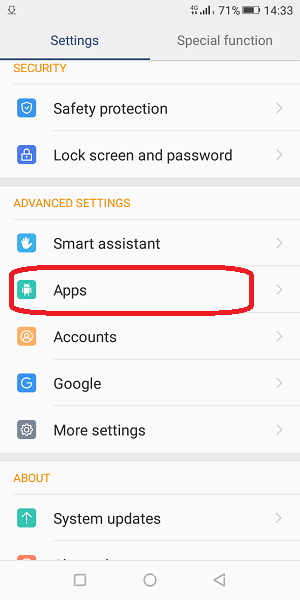
Click on apps
click on app
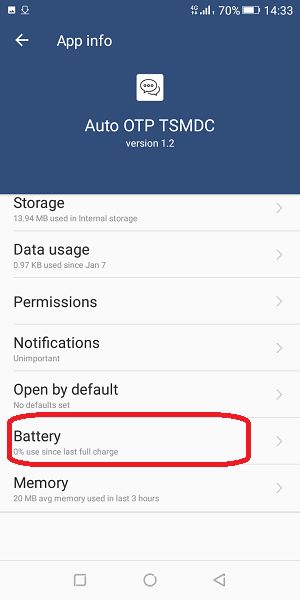
click on battery
Click on dont optimize
Click on More settings
Click on manage battery
Click on power management
click on setting icon
click on smart sleep power saving
click on system manager
click on app manager
click on App auto-launch
click on app
click on icon
click on cleanup whitelist
click on add to whitelist
click on app

Battery Optimization

  1. Go to settings, click on App

    click on apps

  2. Click on app, which you want to run in background

    Click on app

  3. Now Click on battery

    click on battery

  • Read more about Background Mobile App permission in Gionee F205
  • Add new comment

Background Mobile App permission in Oppo A57

Go to Security
Click on Privacy Permissions
Click on Startup Manager
click on battery
Click on Battery optimization
click on Energy Saver
click on app
click on app
click on app
click on do not optimize
off the check box
Click on app permission management
Click on send message
Click on System messages
Click on Allow

Background App Permission

  1. Go to Security

    go to settings

  2. Click on Privacy Permissions

    click on Privacy permission

  3. Click on Startup Manager

    click on startup manager

  4. Finally On the check box of app

    click on PK SMS

  • Read more about Background Mobile App permission in Oppo A57
  • Add new comment

Background Mobile App permissions of popular mobiles

This page list Background Mobile App permissions of popular mobiles

Note: Always restart and check auto OTP after you apply settings. If not working then keep the App open at 11:55am with Display timeout to 10-15 minutes minimum

  • Read more about Background Mobile App permissions of popular mobiles
  • Add new comment

Background Mobile App permission in Redmi Note 4

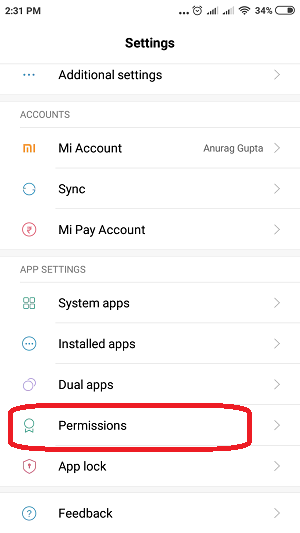
click on permissions
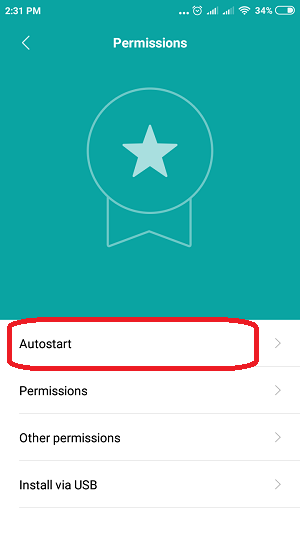
Click on Autostart
click on battery
Click on manage app's battery usage
Click on choose apps
click on app
click on app
click on No restrictions

Background App Permission

  1. Go to the Settings, click on permissions

    click on permissions

  2. Click on Autostart

    click on autostart

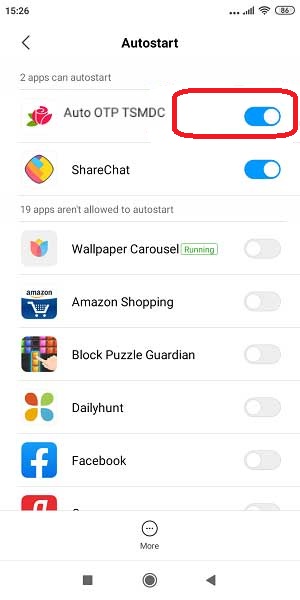
  3. Click on the check box of app, which you want to run in background
    Enable app

  • Read more about Background Mobile App permission in Redmi Note 4
  • Add new comment

Background Mobile App permission in OnePlus 6 A6000

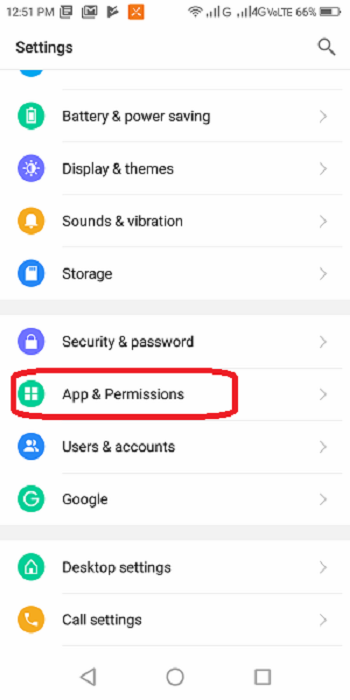
click on apps & permissions
click on app
click on app info
click on battery optimization
click on App
click on dont optimize
  1. Go to Setting, click on Apps & notifications

    click on apps & permission

  2. Click on App

    click on App

  3. In app info, click on Battery
    As shown in picture below

    click on app

  • Read more about Background Mobile App permission in OnePlus 6 A6000
  • Add new comment

Background Mobile App permission in Realme C2

click on App management
click on battery
Click on screen battery optimizaation
click on off
click on app
click on Autostart

Background App Permission

  1. Go to settings, click on App Management

    click on app management

  2. Click on the App, which you want to run in background

    click on app

  3. Click on Allow Auto Startup

    click on Autostart

  • Read more about Background Mobile App permission in Realme C2
  • Add new comment

Background Mobile App permission in Lenovo A5

click on apps and permission
Click on protected apps
click on Battery & power saving
Click on three dots
Click on Battery optimization
Click on Not optimised
Click on All apps
click on app
click on app
click on dont optimize
click on done

Bakground permission

  1. Go to the settings, click on Apps & permission

    click on apps & permission

  2. Click on protected apps

    click on protected apps

  3. Click on app, which you want to run in background

    click on app

  • Read more about Background Mobile App permission in Lenovo A5
  • Add new comment

Background Mobile App permission in Redmi 4 and Redmi 7A

click on permission
Click on Autostart
click on battery & performance
Click on choose apps
Click on app
click on app
click on No restrictions
click on installed apps
Click on app
Click on start in background
click on other permisssion

Autostart Permission

  1. Go to settings, click on permission

    click on permission

  2. Click on Autostart

    click on autostart

  3. Click on the check box of app,
    which you want to run in background

    click on APP

  • Read more about Background Mobile App permission in Redmi 4 and Redmi 7A
  • Add new comment

OTP App Permission Settings

  • Read more about OTP App Permission Settings
  • Add new comment

OTP App Permission Settings

  • Read more about OTP App Permission Settings
  • Add new comment

Pagination

  • First page « First
  • Previous page ‹ Previous
  • Page 1
  • Page 2
  • Page 3
  • Current page 4
  • Page 5
  • Next page Next ›
  • Last page Last »
Subscribe to
TSPT(©). All rights reserved.
Terms of Use | Privacy Policy | About us | Contact